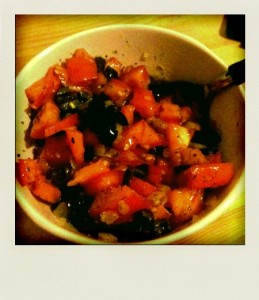
Tomate-Olive Salat

tomato-olive-salad
Zutaten:

  • 2 Tomaten
  • 10-12 Oliven
  • 1 Zwiebel
  • Balsamico
  • Sojasauce
  • Olivenöl
  • Gewürze (Salz, Pfeffer, Basilikum, Oregano)

Zubereitung:
Tomate, Oliven und Zwiebel kleinschnippeln. Die Zwiebelstückchen in der Pfanne mit etwas Olivenöl Salz und Pfeffer anbraten, dann mit den Tomaten und Olivenstückchen in einer Schüssel vermischen. Ein Schuss Balsamico, Sojasauce und Olivenöl so wie ein paar Gewürze dazu und nochmal alles gut durchmischen. Fertig ist der Salat, yISop!

scholt Style Omelette

scholt Style Omlette
Zutaten (für 2 Stück):

  • 3 Eier
  • 1 Tomate
  • 1 Zwiebel
  • 1-2 Champignons
  • 8-10 Schwarze Oliven
  • 3-4 Scheiben Schinken
  • geräucherte Schweinelende
  • geriebenen Käse
  • Sojasauce
  • Gewürze (Salz, Pfeffer, Basilikum etc.)

Zubereitung
Die Tomate in kleine Würfel schneiden, dann mit ein klein bisschen Sojasauce, Salz, Basilikum, Oregano und einer kleinen Priese Pfeffer in einer kleinen Schale verrühren. Danach die Oliven achteln, Champignons Schweinelendchen und Zwiebeln in kleine Würfel schneiden.

Die Zwiebelstücke mit etwas Olivenöl, Salz und Pfeffer anbraten. Den Schinken knusprig braten und in Streifen schneiden. Die Eier in eine Schüssel schlagen und je nach Geschmack Gewürze zugeben und mit etwas Sojasauce verrühern. Die Zwiebeln und den Schinken ganz, vom Rest die Hälfte, etwas geriebenen Käse und noch etwa 5 große Blätter Basilikum klein rupfen und alles nochmal ordentlich durchmischen.

Etwas Butter in der Pfanne zergehen lassen und dann die Hälfte des Gemischs hineingeben, noch etwas von den restlichen Zutaten und dem geriebenen Käse darauf streuen und bei mittlerer Temperatur in der Pfanne braten, ggf. nach einiger Zeit noch wenden.

voilà enjoy
Schedule Bot 0.1.5 Beta

This Minor Release I put into the Market has only 2 Features:
Adding the Droidcon Webapp as Source and providing an intent for directly Displaying Schedules.

The Intent Action is:
org.scholt.mobile.schedulebot.action.Schedule

The Available Extras are:

  • org.scholt.mobile.schedulebot.extra.SCHEDULE
  • org.scholt.mobile.schedulebot.extra.SCHEDULE_WITH_UPDATE

you have to supply the schedule id with this extra, the second one forces an update of all sources before diplaying the schedule.

I’m still working on the App, adding own Schedule Sources is my top priority.

[EN] Schedule Bot Update 0.1.4 beta

I’ve just uploaded a new Version of the Schedule Bot to the Android Market. First I want to say sorry for the german only Version, I’ve added an english translation! The App is still a Beta Version a feature that will come the next days is a settings menu where you could:

  • manage the schedule sources
  • set the update intervall
  • adjust the font size

Eventually I will add zxing support to add new URLs easily via barcode. I also want to say that it is my goal to make this app server indipendent. At this time I’m maintaining only some events in germany, but you could create the Source XML on your own and add it as source in the next version. I’m also thinking about a simple tool which allows you to create those XML files a bit faster and offer more comfort than hacking XML. The XML should be self explaining, but if you have Questions don’t hesitate to contact me.

I’m also aware of 2 Bugs, which will be fixed in the next Version:

  • if you receive an schedule update the session selections are lost
  • the overview list position is not correctly after selecting a session

You are welcome to post feedback, critic or ideas.